
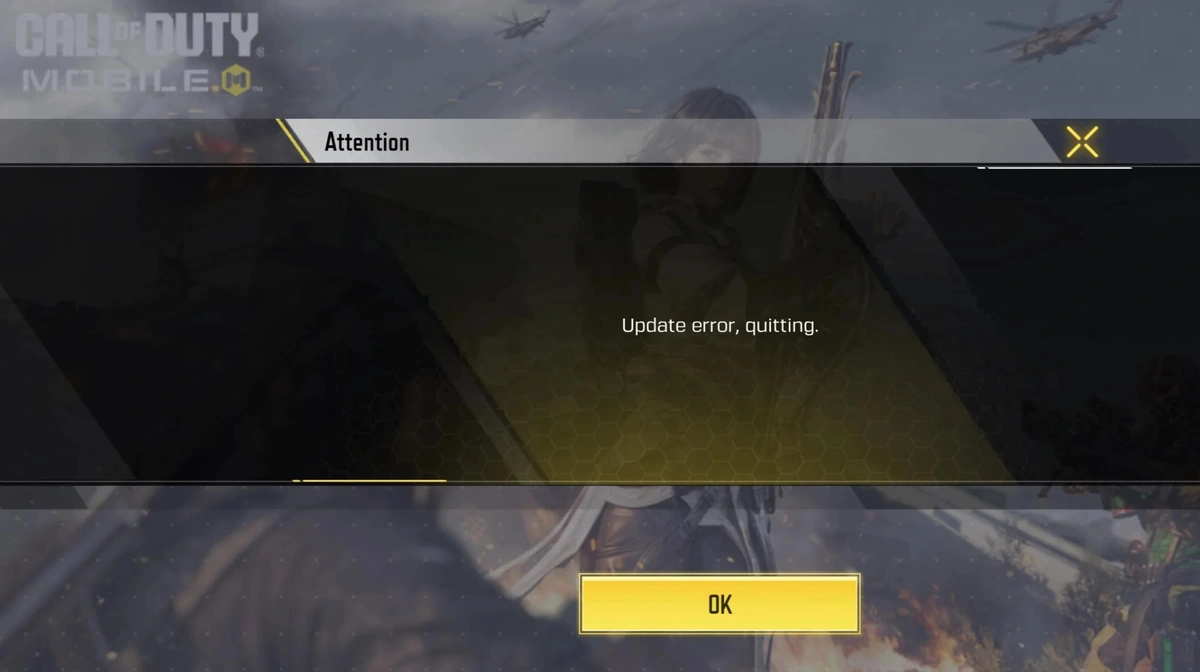
Call of Duty: Mobile’s highly anticipated 6th Anniversary update has officially begun rolling out on the Google Play Store. The new patch brings exciting anniversary-themed content, events, and rewards, marking another milestone for the globally popular shooter. However, the rollout has not gone as smoothly as fans expected. Players are facing COD Mobile Update Error in the game.
Players Encounter COD Mobile Update Errors and Login Issues
Soon after installing the new update, a large number of Android players began reporting update error issues that prevented them from logging into the game. Despite successfully downloading the update file, players are greeted with errors when attempting to start the game or access new content.
Many affected users have shared their frustration on social media, noting that they tried restarting the game, clearing cache, and reinstalling the app, but the problem persists. As of the time of writing, these issues remain unresolved for several users.
Read More about BGMI
- Road to BGMS Season 5: Registrations For 2026 TVS Raider Wicked Battle Are Live
- BGMI Naye Khiladi: Semi-Finals Day 4 Decides Grand Finalists!
- BGMI Naye Khiladi Semi Finals Day 3 Overall Standings and More
- BGMS Season 5: Nodwin Gaming Teases Upcoming BGMI Masters Series 2026
- PMWC 2026 Groups, Teams, Schedule, Format, and More
Community Reactions and Developer Response
The COD Mobile community has taken to online forums and social media platforms like Reddit and X (Twitter) to highlight the widespread issue. Some players mentioned the game gets stuck during the login screen, while others face a loop asking for another update.
So far, Activision has not released an official statement addressing the issue. Players are eagerly waiting for a hotfix or official clarification regarding the cause and timeline for a resolution.
What Players Can Try
While there’s no confirmed solution at the moment, players can attempt the following troubleshooting steps:
- Restart the device and reopen the game.
- Clear the app’s cache and data from device settings.
- Uninstall and reinstall the latest version from the Google Play Store.
- Ensure a stable internet connection before launching the game.
If these methods fail, it’s best to wait for an official patch or server-side fix from the developers.
The 6th Anniversary update was expected to bring a wave of excitement with new content and events, but technical issues have overshadowed the celebration. As players await a fix, Activision is likely working on stabilizing the update rollout to ensure smooth gameplay for everyone.
 Cricket
India squad for Sri Lanka Tests to be picked this week: Bumrah, Jadeja to return, Washington Sundar doubtful
Cricket
India squad for Sri Lanka Tests to be picked this week: Bumrah, Jadeja to return, Washington Sundar doubtful

















































