Sensitivity settings in BGMI play a crucial role in determining your character’s responsiveness to your movements. Finding the right balance can significantly improve your gameplay. Let’s break down the key settings:
BGMI Sensitivity Settings for Camera
- TPP (Third-Person Perspective): 115% – 120% (No Scope), 50% – 60% (Red Dot, Holographic, Aim Assist), 33% – 38% (2X Scope), 25% – 30% (3X Scope, Win94), 15% – 19% (4X Scope, VSS), 10% – 15% (6X Scope).
- FPP (First-Person Perspective): 100% – 112% (No Scope), 55% – 60% (Red Dot, Holographic, Aim Assist), 33% – 38% (2X Scope), 25% – 30% (3X Scope, Win94), 15% – 19% (4X Scope, VSS), 10% – 15% (6X Scope).
Read More about BGMI
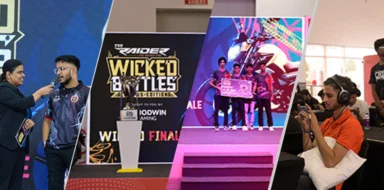
- Road to BGMS Season 5: Registrations For 2026 TVS Raider Wicked Battle Are Live
- BGMI Naye Khiladi: Semi-Finals Day 4 Decides Grand Finalists!
- BGMI Naye Khiladi Semi Finals Day 3 Overall Standings and More
- BGMS Season 5: Nodwin Gaming Teases Upcoming BGMI Masters Series 2026
- PMWC 2026 Groups, Teams, Schedule, Format, and More
ADS (Aim Down Sights) Sensitivity
- TPP/FPP: Same as Camera Sensitivity (recommended).
Free Look Camera Sensitivity
- TPP (Character, Vehicle): 118% – 125%
- FPP (Character): 80% – 85%
- Camera (Parachuting): 120% – 124%
BGMI Sensitivity Settings for Gyroscope
- Always On: 245% – 255% (TPP No Scope), 230% – 240% (FPP No Scope), 245% – 250% (Red Dot, Holographic, Aim Assist), 210% – 215% (2X Scope), 175% – 180% (3X Scope, Win94), 150% – 155% (4X Scope, VSS), 85% – 90% (6X Scope), 60% – 65% (8X Scope).
- Scope On: Same as Always On.
Tips for Finding Your Optimal Settings:
- Experiment: Try different combinations to find what suits your playstyle.
- Start with the recommended values: These are a good starting point.
- Adjust gradually: Make small changes to avoid overwhelming yourself.
- Consider your device: Different devices may require slight adjustments.
- Practice regularly: The more you play with your settings, the better you’ll become.
By following these guidelines and experimenting, you can find the perfect sensitivity settings to enhance your BGMI gameplay and achieve victory.
Follow
Editor's Pick
 Cricket
India squad for Sri Lanka Tests to be picked this week: Bumrah, Jadeja to return, Washington Sundar doubtful
Cricket
India squad for Sri Lanka Tests to be picked this week: Bumrah, Jadeja to return, Washington Sundar doubtful
Top Stories