The PUBG Mobile 4.5 update has officially arrived, bringing exciting new content, including the Naruto-themed mode, Prize Path, and several gameplay improvements. Alongside the new features, Krafton has expanded support for 120 FPS (Ultra Extreme), allowing more players to enjoy smoother gameplay on compatible devices.
Support for 120 FPS is possible only with the Smooth graphics quality, giving an edge to the gamers by offering higher responsiveness, smooth animations, and better recoil control in competitive matches.
PUBG Mobile 4.5 120 FPS Supported Devices
Here are some of the devices that support 120 FPS after the PUBG Mobile 4.5 update:
| Brand | Supported Devices |
|---|---|
| Apple | iPhone 17 Pro, 17 Pro Max, iPhone 16 Pro, 16 Pro Max, iPhone 15 Pro, 15 Pro Max, iPhone 14 Pro, 14 Pro Max, iPhone 13 Pro, 13 Pro Max, iPad Pro (2021 and newer) |
| Samsung | Galaxy S25 Series, Galaxy S24 Series, Galaxy S23 Series, Galaxy Z Fold 5, Galaxy Z Fold 4 |
| OnePlus | OnePlus 15, OnePlus 14, OnePlus 13, OnePlus 12, OnePlus 11 |
| Xiaomi / POCO | Xiaomi 15 Series, Xiaomi 14 Series, Xiaomi 13 Series, POCO F5 Pro |
| Pixel 10 Pro, Pixel 10 Pro XL, Pixel 9 Pro, Pixel 9 Pro XL, Pixel 8 Pro | |
| ASUS / Red Magic | ROG Phone 8, ROG Phone 8 Pro, ROG Phone 7, ROG Phone 7 Ultimate, ROG Phone 6, Red Magic 9 Pro |
Minimum Requirements for 120 FPS
To enable the Ultra Extreme (120 FPS) option, your device should meet the following hardware requirements:
- Android: Snapdragon 8 Gen 2 or newer, or MediaTek Dimensity 9200/9300 and above
- iPhone: Apple A15 Bionic chip or newer with a ProMotion display
- RAM: At least 8GB
Keep in mind that device compatibility may also depend on software updates and regional support.
Why 120 FPS Matters
The PUBG Mobile at 120 frames per second will provide a more enjoyable gaming experience. With a high frame rate, it will be possible to lower input lag, increase shooting accuracy, and make close encounters more pleasant.
For competitive gamers, the impact is even more pronounced when making sharp movements, spraying, and tracking the enemy during battles.
In case the phone is capable of running such a setting, it can be done through the following steps: Settings > Graphics > Smooth graphics > Ultra Extreme (120 FPS).
In the future, as developers continue to enhance PUBG Mobile, more phones will get an update to run this setting.
 Cricket
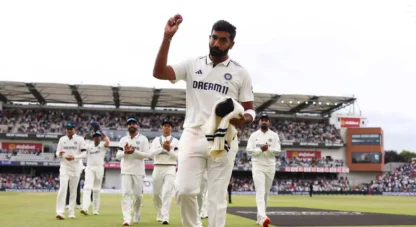
India squad for Sri Lanka Tests to be picked this week: Bumrah, Jadeja to return, Washington Sundar doubtful
Cricket
India squad for Sri Lanka Tests to be picked this week: Bumrah, Jadeja to return, Washington Sundar doubtful