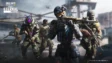
If you are a fan of battle royale games, then Free Fire MAX Download on PC is definitely one you should give a try. Although the game is meant for mobile phones, it is always preferred to play the game on a larger screen with better controls. Playing the game on a PC will give you smoother gameplay and better graphics.
Free Fire MAX is an advanced version of the popular game Free Fire. The game has better graphics, effects, and gameplay. Although the game is meant for Android and iOS devices, you can easily download and install it on your computer using an emulator.
In this tutorial, we will guide you through the entire process.
Stepwise Guide for Free Fire MAX Download on PC
You have to download an Android emulator to play it on your computer since Free Fire MAX is a mobile game. In case you don’t know, an emulator is a program that simulates an Android environment on your computer.
You can use BlueStacks, LDPlayer, or GameLoop. Download the setup file of your chosen emulator from its official website.
Step 1: Install the Emulator
Once you have downloaded the game, follow these steps:
- Open the Setup.
- Select Install.
- Wait until the game has installed.
- Go to the Emulator and sign in using your Google Account on the Play Store.
After installation, launch the emulator and sign in with your Google account to access the Play Store.
Step 2: Search and Install the Game
Once the Emulator has been installed open the application on your desktop.
- Open the Google Play Store.
- Search for Free Fire MAX Download On PC.
- Click on the result for the official game.
- Click on the “Install” button.
Once you are done with the process, the game will automatically begin downloading and installing.
Step 3: Adjust Game Settings
After installation, just follow these easy steps:
- Open the game from the home screen of the emulator.
- Adjust the graphics settings based on your PC specs.
- Configure keyboard controls for better gaming.
Also Read:
- Free Fire MAX Redeem Codes Today April 17: Get Free Skins and Diamonds
- TEZ FFMIC 2026 Grand Finals: The Gateway to Free Fire MAX Asia Invitational 2026 Spring
- Free Fire MAX May 2026 Booyah Pass: Release, Leaked Rewards, and More
- Free Fire OB53 Update: Top 5 Characters to Dominate the New Meta
- Free Fire MAX OB53 Update Download Apk Links Are Now Available
Most emulators come with the ability to customize key mapping for a smoother gaming experience.
Downloading the Free Fire MAX on PC is quite easy and only takes a few minutes. Using an Android emulator, you can experience improved graphics, better controls, and an immersive battle royale experience right from your computer.