PUBG Mobile Lite is a low size version of the original game designed for low-end devices. PUBG Mobile Lite is available on both Android and iOS stores. Check out the guide and link for PUBG Mobile Lite 0.27.0 Apk Download.
PUBG Mobile Lite 0.27.0 Apk Download
- Open your app store: For Android devices launch Google Play Store and For iOS devices launch App Store.
- Search for “PUBG Mobile Lite”. Make sure you include “Lite” in your search to differentiate it from the original PUBG Mobile game.
- Select the official PUBG Mobile Lite app. Look for the app developed by “KRAFTON, Inc.” or “Tencent Games”.
- Tap on “Install” or “Get”. The download and installation process will begin.
If you are facing any trouble in accessing PUBG Mobile Lite 0.27.0 Apk Download from official stores. You can click on this link – https://pubg-mobile-lite.en.uptodown.com/android/download. It will lead you to the third party website from where you can download the Apk.
Also Read:
- Free Fire MAX Redeem Codes Today February 18 Indian Server Bring Free Rewards
- FFMIC 2026 FFC Mode Final Results to be Announced by February 19
- FFMIC 2026 FFC Mode Leaderboard: Check Top 100 Teams
- Free Fire India Download Apk Latest Version – Is It Available Or Not?
- Free Fire OB53 Update Release Timeline, Collaboration, and More
- Free Fire MAX OB53 Advance Server Release Date (Expected) and More
Once installed, you can create an account or play as a guest and start your battle royale adventure. PUBG Mobile Lite requires a stable internet connection to play. Make sure your device meets the minimum system requirements to run the game smoothly. Downloading and installing apps from unofficial sources can be risky, so always use trusted app stores like Google Play Store and App Store.
 Cricket
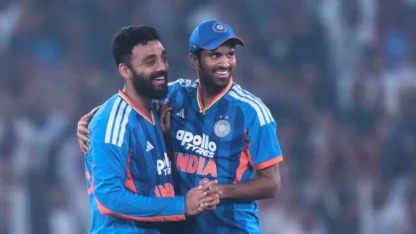
Predicted India XI vs Netherlands: Bumrah likely to be rested, Washington Sundar comes in
Cricket
Predicted India XI vs Netherlands: Bumrah likely to be rested, Washington Sundar comes in