Sensitivity settings in BGMI play a crucial role in determining your character’s responsiveness to your movements. Finding the right balance can significantly improve your gameplay. Let’s break down the key settings:
BGMI Sensitivity Settings for Camera
- TPP (Third-Person Perspective): 115% – 120% (No Scope), 50% – 60% (Red Dot, Holographic, Aim Assist), 33% – 38% (2X Scope), 25% – 30% (3X Scope, Win94), 15% – 19% (4X Scope, VSS), 10% – 15% (6X Scope).
- FPP (First-Person Perspective): 100% – 112% (No Scope), 55% – 60% (Red Dot, Holographic, Aim Assist), 33% – 38% (2X Scope), 25% – 30% (3X Scope, Win94), 15% – 19% (4X Scope, VSS), 10% – 15% (6X Scope).
Read More about BGMI
- BGIS 2026 Quarter Finals Overall Standings – All 64 Teams’ Points and Leaderboard
- BGIS 2026 Quarter Finals Day 2 Points Table Live Updates And More
- When Will GodLike and Team Soul Play in BGIS 2026 Quarter Finals?
- BGIS 2026 Finals LAN Location And Venue Revealed, Check Here
- BGMI 4.3 Update Release Date and Time is Here: Check All Upcoming Features
ADS (Aim Down Sights) Sensitivity
- TPP/FPP: Same as Camera Sensitivity (recommended).
Free Look Camera Sensitivity
- TPP (Character, Vehicle): 118% – 125%
- FPP (Character): 80% – 85%
- Camera (Parachuting): 120% – 124%
BGMI Sensitivity Settings for Gyroscope
- Always On: 245% – 255% (TPP No Scope), 230% – 240% (FPP No Scope), 245% – 250% (Red Dot, Holographic, Aim Assist), 210% – 215% (2X Scope), 175% – 180% (3X Scope, Win94), 150% – 155% (4X Scope, VSS), 85% – 90% (6X Scope), 60% – 65% (8X Scope).
- Scope On: Same as Always On.
Tips for Finding Your Optimal Settings:
- Experiment: Try different combinations to find what suits your playstyle.
- Start with the recommended values: These are a good starting point.
- Adjust gradually: Make small changes to avoid overwhelming yourself.
- Consider your device: Different devices may require slight adjustments.
- Practice regularly: The more you play with your settings, the better you’ll become.
By following these guidelines and experimenting, you can find the perfect sensitivity settings to enhance your BGMI gameplay and achieve victory.
Follow
Editor's Pick
 Cricket
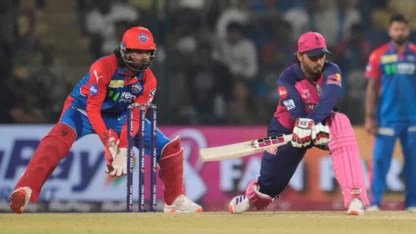
IPL 2026 to begin from March 28? Two-day delay expected for tournament opener
Cricket
IPL 2026 to begin from March 28? Two-day delay expected for tournament opener
Top Stories