Unfriending someone in BGMI (Battlegrounds Mobile India) can be done to remove them from your in-game friends list. Check out the guide to unfriend in BGMI.
How to Unfriend in BGMI?
1. Access the Friends List:
- Open BGMI: Launch the game on your device.
- Navigate to the Friends List: Look for the “Friends” icon or tab within the game’s main menu or lobby. This usually resides in the social interaction section.
2. Locate the Friend:
- Browse the List: Scroll through your friends list to find the player you wish to unfriend.
- Use Search (Optional): If your friends list is extensive, use the search bar to quickly find the specific player by their in-game name or ID.
Read More about BGMI
- BGIS 2026 Quarter Finals Overall Standings – All 64 Teams’ Points and Leaderboard
- BGIS 2026 Quarter Finals Day 2 Points Table Live Updates And More
- When Will GodLike and Team Soul Play in BGIS 2026 Quarter Finals?
- BGIS 2026 Finals LAN Location And Venue Revealed, Check Here
- BGMI 4.3 Update Release Date and Time is Here: Check All Upcoming Features
3. Unfriend the Player:
- Tap on the Friend: Once you’ve located the player, tap on their name or avatar.
- Access Friend Options: A menu or options will appear. Look for an option like “Unfriend,” “Remove Friend,” or a similar label.
- Confirm Unfriending: You might be prompted to confirm the unfriending action. Tap on “Confirm” or “Yes” to proceed.
4. Verify Unfriending:
- Check the Friends List: After unfriending, refresh your friends list to ensure the player has been removed. They should no longer appear on your list.
Important Notes before unfriend in BGMI
- Consequences: Unfriending someone generally has no significant in-game consequences. It simply removes them from your friends list, preventing you from seeing their online status, sending them direct messages, or inviting them to squads.
- Re-adding: If you change your mind, you can always re-add the player as a friend by searching for them using their in-game name or ID and sending a friend request.
Additional Tips:
- Privacy: Unfriending someone can be a way to manage your in-game privacy and limit interactions with players you no longer wish to connect with.
- Respectful Communication: Before unfriending someone, consider if there are any alternative solutions, such as muting their chat or adjusting in-game settings to limit interactions.
By following these steps, you can effectively unfriend players in BGMI and manage your in-game social connections according to your preferences.
Follow
Editor's Pick
 Cricket
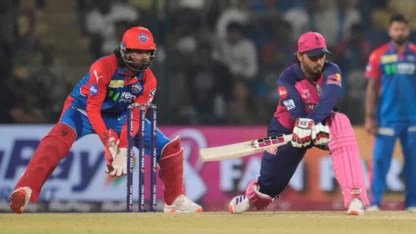
IPL 2026 to begin from March 28? Two-day delay expected for tournament opener
Cricket
IPL 2026 to begin from March 28? Two-day delay expected for tournament opener
Top Stories