PUBG Lite is a slimmed-down version of the popular battle royale game PUBG Mobile. It is designed to run on low-end devices and has a smaller file size and lower system requirements. This makes it a great option for players who cannot run the regular version of PUBG Mobile on their devices. Read on to learn more about the PUBG Lite APK Download.
To download the PUBG Lite APK, you can visit the official PUBG Lite website or a trusted third-party website. Once you have downloaded the APK file, you can install it on your device by following the on-screen instructions.

ALSO READ
- MLBB Golden Month Starts Today, with 10,000 smartphones to be given away in 11 regions!
- MLBB Golden Month 2026: Date, Rewards, and Hanabi Skin Guide
- Fortnite x Solo Leveling Collaboration Teased: Release Date and Skins Expected Soon
- Esports World Cup Foundation Announces First Eight of 16 Games for the Inaugural Esports Nations Cup 2026
Here are the minimum system requirements for PUBG Lite:
- Android 4.4 or higher
- 1 GB RAM
- 500 MB of free storage space
Once you have installed PUBG Lite APK Download, you can create an account and start playing. The game features the same core gameplay as PUBG Mobile, with players parachuting onto an island and fighting to be the last one standing. However, PUBG Lite has some simplified graphics and gameplay mechanics to make it run smoothly on low-end devices.
Here are some tips for playing PUBG Lite on low-end devices:
- Set the graphics settings to low.
- Close any other apps that are running in the background.
- Avoid playing in crowded areas, as this can cause lag.
- Use a Wi-Fi connection instead of mobile data, if possible.
Overall, PUBG Lite is a great option for players who want to experience the thrill of PUBG Mobile on their low-end devices. It is easy to download and install, and it offers a smooth and enjoyable gameplay experience.
 Cricket
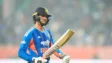
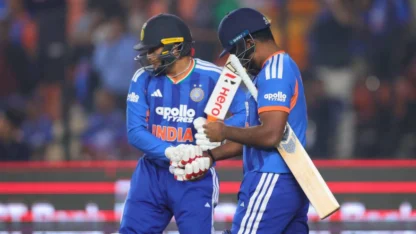
Can India look to bench Abhishek Sharma for Sanju Samson at T20 World Cup Super 8s?
Cricket
Can India look to bench Abhishek Sharma for Sanju Samson at T20 World Cup Super 8s?