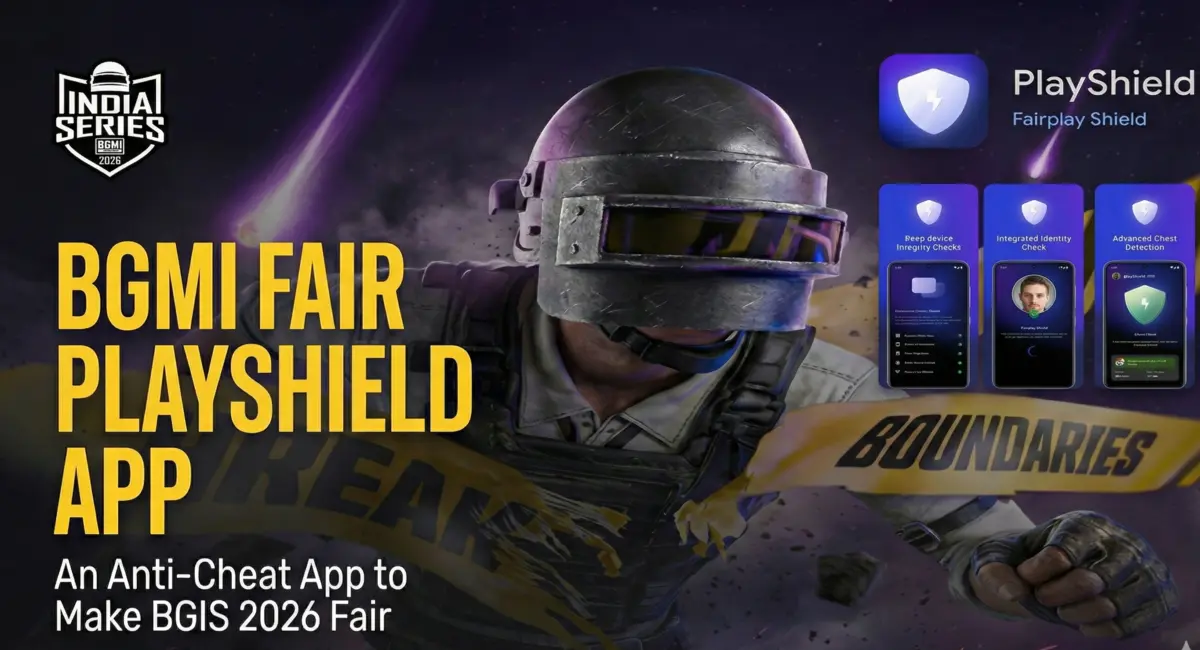
BGMI esports has always faced one major problem during online tournaments: cheating. With thousands of teams competing remotely, maintaining fairness has been a constant challenge. To address this, Krafton India Esports has introduced a new system ahead of BGIS 2026 The FairPlay Shield App. This tool is designed to tighten monitoring, verify players, and ensure that online matches are played on a level field.
BGMI FairPlay Shield App: How This Will Work?
The BGMI FairPlay Shield App is an official anti-cheat application developed for BGIS 2026. It works alongside BGMI during esports matches to verify player identity, monitor devices, and detect unfair practices.
All teams participating in BGIS 2026 must install and use the app during official matches, especially in online stages.
Why Krafton Introduced This App
Online stages of BGMI tournaments have historically been vulnerable to hacking, emulator usage, and account sharing. While Krafton previously introduced POV recordings, handcam footage, and early LAN stages, these measures were not always enough.
The FairPlay Shield App aims to strengthen real-time monitoring without making the tournament fully offline, which would be impractical due to scale.
How to install BGMI FairPlay Shield App
The very first thing players have to do is install the FairPlay App from the Google Play Store and Apple Store which links have given below.
- Fair PlayShield App Android Link – Click here.
- Fair PlayShield App App Store Link – Click here.
Read More about BGMI
- BGIS 2026 Semifinals Day 2 Points Table Live Updates And More
- BGMI 4.3 Update Release Date and Time: Full Schedule and Top Features
- BGIS 2026 Semifinals Day 2: Teams, Groups, Schedule, And Stream
- BGIS 2026 Semi Finals Day 1 Points Table Live Updates and More
- BGMI A18 Royale Pass Leaks Reveal Upcoming Rewards
- BGIS 2026 Finals LAN Location And Venue Revealed, Check Here
How FairPlay App Anti-Cheat Mechanism Works
Players must log in to the FairPlay Shield App using their Krafton India Esports (KIE) ID and verify via OTP. After logging in, players are required to grant key permissions such as camera access, device usage access, and battery optimisation exemption.
Once verified, the device is locked for the duration of the tournament, and switching devices is not allowed during online stages.
Before every official match, players must complete a verification cycle inside the app. This includes selecting the correct match code, taking a selfie for identity verification, and allowing the app to scan the device.
After verification, BGMI can be launched to begin the match. A second selfie check may be required to continue gameplay.
The app also supports handcam verification through QR codes provided by tournament officials. This ensures players are not using secondary devices, emulators, or unauthorized tools during gameplay. Both Android and iOS platforms are supported.