Battlegrounds Mobile India (BGMI) is a popular battle royale game with a large fan following in India and offers an exhilarating squad mode for groups of friends to enjoy together. Players can communicate with each other in the game, making it more popular than other mobile games on the market. However, if you don’t have a mobile device or prefer to play games on your PC, check out the below steps to download and play Battlegrounds Mobile India (BGMI) on PC.
Download and Play BGMI on PC
- Step 1: Open a web browser and search for MSI App Player. Click on the first link and initiate the download by clicking the “Download” button.
- Step 2: After downloading MSI App Player, right-click on the file to extract it. If the extract option is not available, download WinRAR.
- Step 3: Once the extraction is complete, you’ll find the MSI App Player. Open the player.
- Step 4: Upon opening the player, the “Install Now” button will appear. Click on the button to begin the download.
- Step 5: Open MSI App Player, locate the Play Store within it, and download BGMI from there.
- Step 6: Open BGMI, download the high-resolution pack, sign in, and enjoy the game.
ALSO READ
- PUBG Blindspot Shuts Down: Why the Tactical Shooter Failed in 54 Days
- The Esports Nations Cup 2026 appoints NODWIN Gaming as National Team Partner for India
- Epic Games Announces 1,000 Layoffs Citing Declining Fortnite Engagement
- Arena Breakout Closed BETA Test Is Now Live For Indian Players
- Honor of Kings Announces Two Slots for India at KWC 2026
If you facing lag during gameplay, just download the GFX Tool for BGMI. Adjust your device’s capability settings, and you’ll be able to enjoy smooth BGMI gameplay on your PC.
However, we recommend you play Battlegrounds Mobile India (BGMI) on your mobile devices, as it was originally made for mobile devices. Playing BGMI on PC is unfair for mobile players, as PC gives you an extra edge in gameplay.
 Cricket
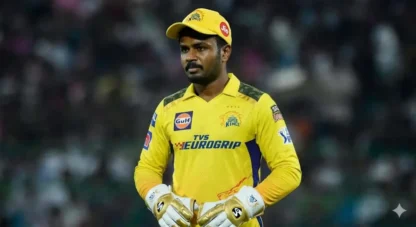
Sanju Samson fails yet again, T20 World Cup heroics shadowed by another flop in IPL 2026 for CSK
Cricket
Sanju Samson fails yet again, T20 World Cup heroics shadowed by another flop in IPL 2026 for CSK